
Download Tootler – AI‑Powered SOP Writer for Students, Professionals & Travelers
Overview
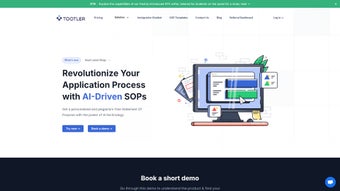
Tootler’s SOP Writer is a cloud‑based, AI‑driven application that simplifies the often‑daunting task of drafting a Statement of Purpose (SOP). Whether you are applying for a study visa, a tourist visa, or need a professional SOP for a job application, Tootler delivers a personalized, high‑quality document in minutes. The platform combines a powerful natural‑language engine with an intuitive editor, allowing users to input basic personal details and watch the system generate a polished, plagiarism‑free SOP that reflects their unique voice.
A built‑in plagiarism checker guarantees originality, while the Autofill Inputs feature eliminates repetitive data entry by remembering common fields such as name, address, and academic background. The personal library lets users store, organize, and retrieve all their SOP drafts, making it easy to edit or reuse content for future applications. Tootler continuously expands its template library, covering a wide range of visa types, university programs, and professional sectors.
Documents are downloadable in .docx format, preserving formatting and ensuring seamless integration with Microsoft Word or Google Docs. Priced affordably, Tootler positions itself as an essential tool for students, educators, and professionals who need a fast, reliable, and secure way to create compelling SOPs without hiring a costly writing service.
Key Features & Benefits
- AI‑Driven SOP Generator: Uses advanced natural‑language processing to produce a fully customized SOP in under five minutes.
- Integrated Plagiarism Checker: Scans the generated content against billions of sources to guarantee 100 % originality.
- Intuitive Real‑Time Editor: Allows users to tweak tone, length, and structure instantly while seeing live preview updates.
- Autofill Inputs Function: Saves time by automatically populating recurring fields such as personal details, academic history, and travel information.
- Personal Library: Securely stores all SOP drafts, enabling easy version control, tagging, and quick retrieval for future edits.
- Expanding Template Library: Includes ready‑made SOP formats for study visas, tourist visas, scholarship applications, and corporate positions, with new templates added monthly.
- .docx Export: Exports documents in Microsoft Word format, preserving styling, headings, and bullet points for professional presentation.
- Secure Cloud Infrastructure: Data encryption both in transit and at rest ensures that personal information remains confidential.
- Multi‑Language Support: Offers English as default with upcoming support for Spanish, French, and Mandarin to cater to a global audience.
- Affordable Pricing Model: Subscription plans start as low as $9.99 per month, with a free trial that includes three SOP generations.
Installation, Usage & Compatibility
How to Get Started
Tootler is a web‑based solution, which means there is no traditional “install” process. Users simply visit tootler.com, create a free account, and gain immediate access to the SOP Writer dashboard. For those who prefer a desktop‑like experience, Tootler offers Progressive Web App (PWA) support: click the “Add to Home Screen” button on Chrome, Edge, or Safari to create a shortcut that behaves like a native app, complete with offline caching of static assets.
Step‑by‑Step Usage Guide
- Sign Up / Log In: Register with an email address or use Google/Apple Single Sign‑On.
- Select a Template: Choose the SOP type that matches your purpose (e.g., Study Visa, Tourist Visa, Job Application).
- Enter Core Details: Fill in personal data, academic background, travel history, and any specific prompts.
- Generate SOP: Click “Create SOP” and let the AI engine draft a full document.
- Review & Edit: Use the real‑time editor to adjust tone, length, or add custom paragraphs.
- Run Plagiarism Check: Activate the built‑in checker to ensure the content is unique.
- Save to Library: Store the final version in your personal library for future reference.
- Download: Export the SOP as a .docx file and submit it to the relevant authority.
Operating System Support
Because Tootler runs in the browser, it is compatible with all modern operating systems, including Windows 10/11, macOS 10.15+ (Catalina and later), Linux distributions (via Chrome/Firefox), as well as mobile platforms such as Android 8.0+ and iOS 13+. The PWA version works on Android Chrome and iOS Safari, providing a seamless experience across desktop and mobile devices.
Pros and Cons
Pros
- Rapid AI‑generated SOPs save hours of manual drafting.
- Built‑in plagiarism detection guarantees originality.
- User‑friendly editor enables instant customization without technical knowledge.
- Autofill feature reduces repetitive data entry, improving efficiency.
- Personal library offers organized storage and easy version control.
- Continuous addition of new templates keeps the tool relevant for diverse applications.
- Secure cloud storage protects sensitive personal information.
- Affordable subscription tiers make the service accessible to students and professionals alike.
- Export to .docx preserves formatting for professional presentation.
- Web‑based platform works on any device with a modern browser.
Cons
- Requires an internet connection for the AI engine to function.
- Advanced customization (e.g., specific formatting styles) may need manual tweaking after download.
- Limited to the languages currently supported (primarily English).
- Free trial caps the number of SOPs you can generate before subscribing.
- Some users may prefer a fully offline desktop solution for highly sensitive data.
Frequently Asked Questions
Can I use Tootler offline?
Tootler is a cloud‑based service, so an active internet connection is required for the AI generation and plagiarism checking. However, once you download your SOP as a .docx file, you can edit it offline using any word processor.
How does the plagiarism checker work?
The built‑in checker scans the generated SOP against a database of billions of web pages, academic papers, and previously submitted SOPs. It highlights any matching phrases and provides a similarity score, ensuring that your final document is unique.
Is my personal data safe on Tootler?
Yes. Tootler uses SSL/TLS encryption for data in transit and AES‑256 encryption for data at rest. Personal information is stored on secure servers compliant with GDPR and other privacy regulations.
Can I customize the tone of my SOP?
Absolutely. The real‑time editor includes tone sliders (formal, semi‑formal, conversational) and a keyword suggestion tool, allowing you to tailor the voice of your SOP to match the target institution’s expectations.
What subscription plans are available?
Tootler offers three plans: a Free Trial (3 SOPs), a Basic plan at $9.99/month (unlimited SOPs, basic templates), and a Premium plan at $19.99/month (access to all templates, priority support, advanced plagiarism reports). Annual billing receives a 15 % discount.
Tootler delivers on its promise of speed and quality. The AI-generated SOPs are impressively coherent, and the plagiarism checker gives peace of mind. While a fully offline mode would be nice for ultra‑sensitive cases, the overall value—especially the personal library and template updates—makes it a standout tool for anyone needing a polished SOP quickly.
Conclusion & Call to Action
In today’s competitive landscape, a well‑crafted Statement of Purpose can be the decisive factor between acceptance and rejection. Tootler’s AI‑driven SOP Writer removes the guesswork, accelerates the writing process, and ensures originality through its integrated plagiarism checker. With a clean, responsive interface, a growing library of templates, and secure cloud storage, it offers a professional solution that is both affordable and accessible across all major operating systems. Whether you are a student applying for a university visa, a traveler seeking a tourist visa, or a professional polishing a career‑focused SOP, Tootler equips you with the tools you need to present a compelling narrative. Don’t let a sub‑par SOP hold you back—sign up today, start your free trial, and experience the confidence that comes with a perfectly tailored statement.



.png)



